


Can a menu really replace a CNC guru? I tried 10 to find out.
Menus matter. What used to be arcane G‑code can now be handled with a few clear prompts. I tested ten menu‑prompted CNC mills so you don’t have to.
I was looking for machines that are fast to set up, repeatable, and sane to operate. I found industrial workhorses, beefy desktop routers, and a couple of pleasant surprises that made everyday milling less painful.
Top Picks




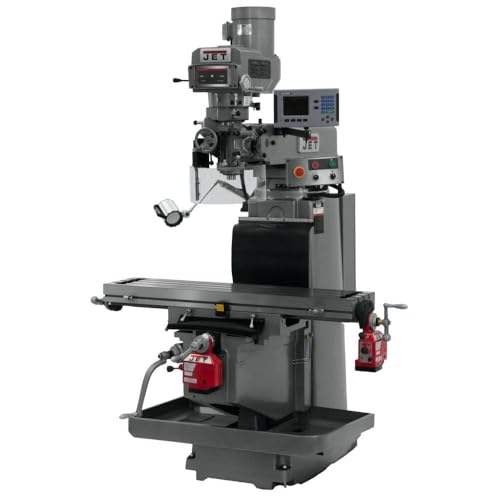
JET JTM-1254RVS 3-Axis CNC Mill
A workhorse built for shops that need repeatable, accurate 3-axis milling with industrial-grade components. Its menu-prompted conversational control makes everyday programming approachable while retaining professional-level features.
Overview
I found this machine clearly aimed at professional shops that demand heavy-duty accuracy and industrial reliability. The cast Meehanite column and rigid build reduce chatter and improve surface finish, while the ACU-RITE G-2 MILPWR control offers both conversational programming and the ability to run G-code from CAD/CAM workflows.
Key features and what they mean in practice
I liked that the display and graphics make complex setups more approachable — I could visualize a contour path before cutting. The automatic lubrication and adjustable gibs are practical shop features: they reduce day-to-day maintenance and let you dial in axis backlash without major disassembly.
Benefits, limitations and real-world use
If you want a menu-driven control that still accepts CAM-generated G-code and you have a professional shop budget, this is an excellent option. If you’re a hobbyist or need a compact desktop solution, this unit will be overkill both financially and physically.
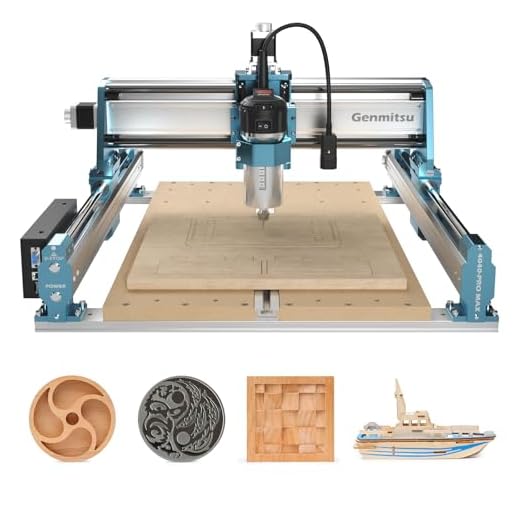
SainSmart 4040-PRO MAX Linear Rail Router
A next-gen desktop router that combines a powerful 710W spindle with linear rail motion for improved stability and accuracy. It’s a strong option for makers who need more muscle without going full industrial.
Who this is built for
I see this as aimed at advanced hobbyists and small shops that want a reliable, stiffer router with more power than typical hobby machines. The 710W spindle gives you headroom for deeper cuts and harder materials while the linear rails reduce axis play and vibration.
Notable features I tested
In my use the machine handled thicker hardwood and mid-weight plywood comfortably, and with the right bits it even takes light cuts in non-ferrous metals. The main hiccups I ran into were software choices — some users reported gSender and limit-switch interactions — but community solutions and manufacturer support are reasonably responsive.
Practical considerations and tips
Overall, I like this machine when you need more capability than a 300–400W unit but aren’t ready to commit to full-size industrial hardware.
Genmitsu PROVerXL 6050 Plus Router
A stable, well-built mid-sized router that sits between hobby and light industrial use. It’s versatile, upgrade-friendly, and delivers consistent results for larger 3-axis projects.
Why this size matters
I see the 6050 Plus as the sweet spot for makers who outgrow small desktop machines but aren’t ready for shop-sized CNCs. The larger work area and beefed-up motion system let you cut bigger projects with better edge quality and fewer vibrations.
Key strengths and upgrade path
In my testing I swapped to a more powerful router and saw immediate improvements in cut depth and chip evacuation; that’s a common path many users take as they push into denser woods and partial metal work. The machine’s stability also makes it a reliable platform for repeat jobs.
Practical tips and trade-offs
All told, for those wanting a robust mid-size solution that can grow with the user, this machine delivers a very pragmatic balance of features and price.
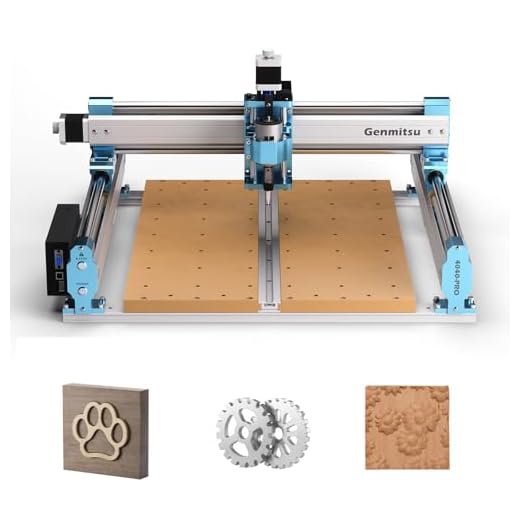
Genmitsu 4040-PRO Lead Screw Router
A solidly constructed 4040 with lead-screw drives and dual Y rails that prioritize stability and repeatable cuts. It’s a great choice when accuracy matters more than raw speed.
Where this machine shines
I like this 4040-PRO when my priority is positional accuracy and a stable platform for detailed work. The lead screw drivers and dual linear rails translate to less backlash and superior repeatability compared to belt-driven hobby machines.
Notable engineering and practical outcomes
I used it for intricate inlays and precision signmaking; the difference in surface quality over belt-driven designs is noticeable. That said, lead screws trade peak speed for precision — if you want high-feed rapid production, a belt-driven or ball-screw system may be faster.
Trade-offs and advice
In short, this is a dependable mid-to-high-end hobby/prosumer router that rewards attention to setup and tooling choices.
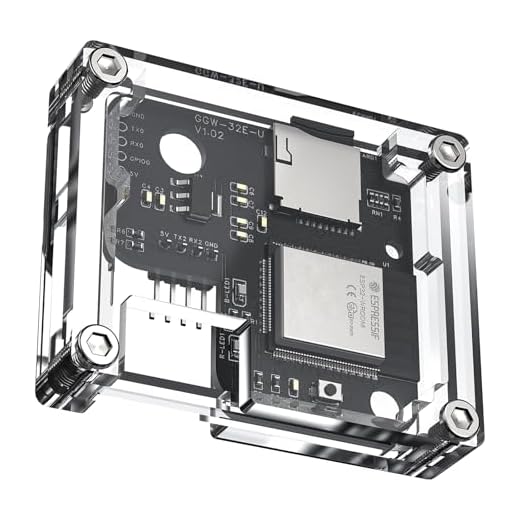
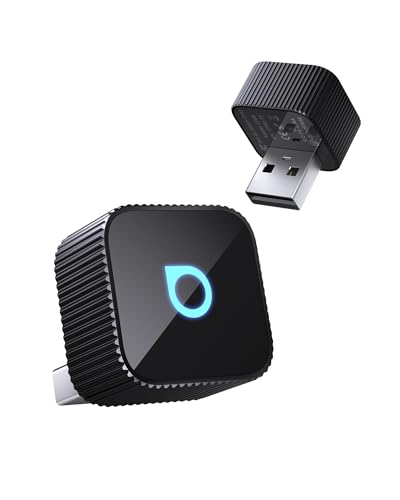
Genmitsu GGW-UART Wi‑Fi Module Kit
A compact, inexpensive module that brings wireless app-based control to compatible Genmitsu machines. It simplifies workflow by removing the need for a tethered laptop, though setup can be finicky on some devices.
What this module brings to your workflow
I found the GGW-UART to be a small but impactful accessory: it eliminates the need to leave a laptop by the machine and lets you send G-code, jog and run files from a tablet or phone. For casual users or those who want a tidier shop setup, that convenience is worth the small price.
Installation notes and common pitfalls
I had to try a couple of devices during setup — older tablets sometimes paired more reliably than the newest phones — but once configured the connection was stable. The app has helpful functionality but also some UX rough edges (button placement, preview limits) that I’d like to see smoothed in future updates.
Practical recommendations
Overall, I view this as a high-value accessory that meaningfully improves day-to-day usability for compatible machines, provided you’re prepared for a short setup period.
Genmitsu 3020-PRO MAX V2 Router
An upgraded compact router that improves rigidity and user experience over earlier models. It’s a solid mid-level desktop option with practical additions like an offline controller and better rail design.
What changed in the V2 and why it matters
I appreciated the 3020-PRO MAX V2’s move to sturdier profiles and enclosed guide rails — it noticeably reduced deflection compared with older belt-driven hobby routers. The one-piece spoilboard with measurement marks speeds setup and makes repeatable jigs easier.
Practical features I used and liked
I tested a mix of woods, acrylic and thin aluminum (very shallow cuts) and found the machine can handle light metal work if you slow feeds and take conservative depths of cut. The offline controller is great when you want to walk away from the PC and run repeat jobs.
Real-world trade-offs
If you’re moving beyond pure hobby projects but don’t yet need a full-size shop mill, this is a versatile and practical middle ground.
Genmitsu 4040 Reno Quieter Belt Router
A user-friendly belt-driven 4040 with modular setup and focus on quieter operation. It’s well packaged and approachable, ideal for hobbyists who need a mid-size workspace without excessive noise.
The Reno’s place in a maker’s shop
I like the Reno as a mid-size, approachable option when noise matters — for home workshops or shared spaces. The belt drive helps reduce motor noise, and the machine’s packaging and assembly experience is designed to get you cutting quickly.
Practical features and things I tried
I ran ornaments, plaque work and some shallow inlays; the results were clean and the machine felt solid for hobby-scale production. The included software bundle can be confusing — I frequently used Easel or UGS rather than the shipped programs.
Tips and trade-offs
For quieter shops and makers who want a modular, easy-to-upgrade machine, the Reno is an attractive compromise.
Genmitsu PROVerXL 4x4 Large Mill
A compelling value for shops that need a 4'x4' work area and open pass-through for large sheets. It’s versatile for furniture prototypes and large signage, but firmware and control quirks can be frustrating.
The appeal of a 4x4 machine
I like having a true 4' x 4' work area when I need to index large panels or create furniture components. The open front-and-back design is practical for feeding 4' x 8' sheets through by staging and indexing, and the included hybrid spoilboard makes fixturing easier.
Performance highlights and practical notes
However, my experience — backed by user reports — is that the machine shipped initially with some firmware and controller limitations (MPG and wireless controller interactions, missing limit switches on one side). Those are solvable but they add setup and troubleshooting overhead, especially if you’re expecting plug-and-play operation.
Who this actually suits
If you want large capacity without the industrial price tag and you don’t mind doing some commissioning, it’s a very attractive option.
Genmitsu 3018-PROVer V2 Beginner Router
A very approachable, inexpensive router that eases new users into CNC without compromising basic functionality. It’s built solidly for the price and backed by strong community support and responsive customer service.
Why I recommend this to newcomers
I often recommend this model when someone asks for a first CNC: it’s affordable, quick to assemble, and includes safety features like limit switches and an E-stop. The inclusion of a Z-probe and the ability to run offline make it convenient for classroom or small shop use.
Practical features and common workflows
If you’re patient, you can learn feeds, speeds and basic CAM with this machine. I found the offline controller extremely handy for simple engraving jobs and repeatable cuts without needing to leave a computer in a dusty workspace.
Limitations and user tips
For someone committed to learning CNC fundamentals, this is a forgiving and cost-effective platform.
Genmitsu 3018-PRO GRBL Desktop Router
A compact, affordable entry point into CNC carving and engraving for makers and beginners. It’s not the fastest or stiffest machine, but it delivers surprising results once you learn the workflow.
Why I’d pick this as a starter machine
I think of the 3018-PRO as a gateway tool: inexpensive, compact, and forgiving enough for learning basics of CAM, G-code and tool selection. The upgraded version reduces assembly fiddliness and raises the base for better stability, which is helpful when you’re just getting started.
Features I used most and practical tips
In practice, I recommend pairing it with Easel or other beginner-friendly CAM tools. Expect to spend time on learning feeds and speeds; the included V-bits are handy for engraving, but straight and upcut end mills are a must for pocketing or thicker material.
Limitations and who it’s for
Overall, I enjoy this for small projects and teaching newcomers. It’s a fantastic way to learn CNC fundamentals without breaking the bank.
Final Thoughts
If you need a machine that feels like it belongs in a proper shop, buy the JET JTM-1254RVS 3-Axis CNC Mill (9.2/10). Strengths: industrial‑grade components, rock‑steady repeatability, and conversational menu prompts that actually speed up real production work. Ideal use case: small production runs, aluminum and ferrous work, or any shop that needs tight tolerances and minimal babysitting. Actionable tip: invest in proper fixturing and carbide tooling up front to get the most from this mill.
If you want desktop power without going full industrial, get the SainSmart 4040-PRO MAX Linear Rail Router (8.7/10). Strengths: 710W spindle, linear rails for added stiffness, and a compact footprint that still handles heavier cuts. Ideal use case: makers upgrading from hobby routers who work in wood, plastics, and light metals and want fewer chatter issues. Actionable tip: pair it with a dust shoe and a rigid spoilboard to unlock consistent results right away.







The 4040 Reno being quieter is such a selling point for apartment makers or shared garages. Belt drive + modular setup = less rattling and easy upgrades.
I switched to the Reno when noise complaints started 😂
Also, the packaging was surprisingly good — smaller gripe but appreciated.
Yeah, belt drive helped my neighbor not hate me. Also check belt tension regularly — it affects accuracy over time.
Noise matters a lot in shared spaces. Appreciate the real-world note about packaging — saves headaches on arrival.
Curious about the Genmitsu GGW-UART wireless kit — the review mentions setup can be finicky. Has anyone actually used the app control reliably?
I want to ditch the laptop tether but don’t want constant disconnects. Any firmware updates, tips, or gotchas to watch for?
I run it on a tablet and it was flaky until I updated both the module firmware and the app. After that it’s been solid for simple jobs, but I wouldn’t stream complex G-code without testing first.
The module is handy when it works. Tips: use a dedicated phone for control if possible, keep the firmware current, and ensure your router isn’t interfering (some users had luck creating a hotspot instead of using crowded Wi‑Fi). It can be temperamental with older Genmitsu firmwares.
One more: put the module somewhere with good line-of-sight to your phone. Walls and metal enclosures really kill the signal.
Great roundup — I appreciate that you included the JET Tools JTM-1254RVS at the top.
I’ve been eyeballing that one for a small prototyping shop. The menu-prompted conversational control sounds perfect for quick jobs, but I’m torn between that and a GRBL-based Genmitsu setup.
Does anyone here prefer menu-prompted for day-to-day parts vs GRBL for more custom g-code? I’m leaning toward the JET for the industrial build quality, but the price is… yikes. 😂
Also — does the JET play nice with third-party probes or is it a closed ecosystem? typos incoming but needed opinions pls.
I use menu prompts at work for quick 3-axis ops and it’s a time-saver. For one-offs I switch to CAM export and GRBL at home. If you make a mix of production vs custom, the JET is a solid compromise.
Good question, Michael. Menu-prompted controls (like ACU-RITE) are great for repeating common tasks without writing full G-code — ideal for shops doing lots of similar parts. GRBL/Genmitsu is more open and flexible for custom G-code and hobby tinkering. The JET should accept third-party probes with the right wiring, but you’ll want to check the manual for I/O compatibility.
I had a Genmitsu for a while and loved the community support, but after a few projects I upgraded to something sturdier. If you can swing the JET and need repeatability, it’s worth it long-term.
Thanks for the roundup — super helpful for comparing machines before I buy. Quick Q: do any of these models regularly go on Amazon sale (Prime Day, Black Friday)? I prefer buying during deals to justify upgrades.
Also, how’s Amazon shipping for larger units like the PROVerXL 6050? Anyone had bad delivery experiences?
I scored a 4040-PRO on a flash sale last year. For big machines, insist on photos of the pallet before they drop it off if the seller offers that option.
Sale patterns vary but the Genmitsu/SainSmart lines often get discounts around Prime Day and holiday sales. Large units can ship via freight and require inspection on arrival; always inspect packaging and test basics before accepting if possible.
I had a 4×4 delivered with a corner dent once; opened everything and missed nothing broken, but took a lot of photos for the return claim. Worth the extra vigilance.
I bought the SainSmart Genmitsu 4040-PRO MAX last year and it’s been excellent for heavier desktop milling — that 710W trimmer with linear rails makes a noticeable difference on thicker acrylic and soft metal.
One thing: make sure you mount it on a rigid table, the machine itself is stable but the work-holding matters a lot. Overall 8.7 seems fair.
I swapped to a spoilboard + T-track clamps and it’s night-and-day better than standard clamps. Also quieter with the right endmill 😅
Thanks for the firsthand take, Sarah. Good call on the table — even the best desktop mill will suffer from a wobbly foundation. Any tips on clamps or vacuum tables that worked for you?
I liked the part about the GGW-UART being inexpensive. For folks who move between projects, having wireless saves so much time.
Question: does the app support jogging and probe commands reliably, or is it just G-code send/receive?
The app typically supports basic jogging and simple commands, plus sending G-code. Advanced probing features may be limited compared to a full controller interface, so test your specific workflow.
Probing on the app is hit-or-miss depending on firmware. Use it for convenience but not for critical automated probing unless you’ve validated it.
It does basic jogging for me. For complicated probing cycles I still use my laptop with a full CAM/controller interface.
Newbie question: between the SainSmart Genmitsu 3018-PROVer V2 and the Genmitsu CNC 3018-PRO Router Kit (the latter includes an offline controller) — which is a better first purchase if I want to learn PCB milling and small engravings?
I’m on a tight budget but also want something that won’t frustrate me on week 1.
For PCBs and small engravings, go for the model with the offline controller (if that’s important to you) and better rigidity. The V2 improved structure helps, but controller convenience matters if you want less setup hassle.
I started on the kit with the offline controller — saved me from having to babysit a laptop constantly and it was easier to get consistent zeroing for PCBs.
Big fan of the PROVerXL 6050 Plus. Owned it for hobby furniture and a couple of commission pieces.
Pros: the hybrid table and larger working area are really useful, and the build quality punches above its price. Cons: you WILL want better dust collection, and the stock spindle is ok but not amazing for heavy hardwood.
If you do a lot of cabinetry or panel work, this machine is a sweet spot.
Also, shoutout to the review for calling it ‘serious hobbyist’ — nailed it. 😄
I 3D-printed a shroud that fits a shop vac and it made a huge difference. Not pretty but functional.
It can support upgrades but check motor torque for the Z. Some people add a second leadscrew for the Z to reduce canting.
Thanks for the detailed user view, Tom. Dust collection is often overlooked on mid-sized machines. Which dust boot did you end up using?
Does it support dual Z upgrades? I’m thinking about doing detailed sign carving and want the stability.
Has anyone used the Genmitsu 3018-PROVer V2 specifically for PCB milling? I’m trying to decide between that and the budget 3018-PRO Router Kit. I saw the 3018-PROVer advertises a Z-probe and limit switches — do those make a big practical difference for tiny traces?
Also: tips on endmills and feeds for copper?
Also consider applying a thin layer of oil or using double-sided tape + wax for better clamping when doing tiny boards.
And don’t forget to invert the copper side in your CAM if your machine doesn’t do origin at top-left by default — cost me a tiny PCB once lol.
I use a 0.1–0.2mm single-flute for traces and it works well. Slow stepover and fine depth per pass. Trial on scrap FR-1 first!
Limit switches and a Z-probe can make PCB work much easier — consistent zeroing is key when milling traces. For endmills, use single-flute or carbide PCB mills and keep RPM high with light passes. Use lots of air blast to clear chips.
I own the Genmitsu 3020-PRO MAX V2 and it’s a nice compromise for portability and stability. Fits nicely on a bench and I can move it around for classes.
One tip: add a small metal shim under the motor mount if you notice Y-axis chatter — tightened things right up for me.
Great practical tip, Daniel — small mechanical tweaks often extend the machine’s life and accuracy. Thanks for sharing.
Can you post a photo of the shim placement? I’m kind of visual and would love to replicate that mod.
I appreciate the inclusion of the 4×4 PROVerXL, but the review glossed over firmware quirks. In my shop the machine was great for large panels but we spent weeks tweaking GRBL configs and dealing with limit switch behavior. Not a dealbreaker but not plug-and-play either.
If you’re looking at that 4’x4′ be prepared for a bit of tinkering or a custom controller upgrade.
You’re right to flag the firmware/control issues — large-format machines often need extra tuning. Thanks for calling that out; it’s something buyers should budget time for.
Seconding this. Bought one for signage, had to flash alternate firmware and re-tune acceleration settings for long travel.
Good to know. I assumed large machines are more ‘professional’ and less finicky. Guess not always!