Big chips, tiny details — which CNC will win your bench space in 2026?
Want pro-level milling without renting a whole shop? I did too—so I tested machines from tiny benchtop routers to full shop mills. I was after reliability, repeatability, and a machine that doesn’t make me swear every time I touch the jog wheel.
I looked for rigidity, control (closed-loop where possible), and real-world features like quick tool changers and DROs. Expect practical picks: a compact 4th-axis workhorse for precision prototypes and a true shop mill when you need to cut steel all day.
Affiliate links / Image courtesy of Amazon. As an Amazon Associate I earn from qualifying purchases.
Must-Have
1
Carvera Air Desktop CNC with 4th Axis
Best compact pro-level desktop CNC
9.3/10
EXPERT SCORE
I’m impressed by the desktop form factor combined with pro features like closed-loop control, quick tool changers, and polished CAM software. It’s a premium hobbyist machine that can comfortably do prototype and boutique production work.
Affiliate links / Image courtesy of Amazon. As an Amazon Associate I earn from qualifying purchases.
Pros
Premium build quality in a compact, enclosed package
Closed-loop control and quick tool changer for reliability
User-friendly CAM and tight integration for short setup times
Optional 4th axis and PCB pack expand capability
Cons
Higher price than typical desktop routers
Limited availability and few user-made mods compared to generic frames
Work area still limited by compact form factor
Overview
I view the Carvera Air as a polished step up from typical desktop routers: it brings features you usually see on larger machines into a benchtop footprint. The integrated software and hardware ecosystem mean less fiddling and more consistent results for designers, makers, and small-scale manufacturers.
What sets it apart
Closed-loop control reduces missed steps and improves reliability under varying loads.
Quick tool changer and auto-probing speed up multi-tool jobs and shorten setup time.
The included PCB fabrication pack and optional 4th axis broaden its application range beyond simple routing.
In practice I love how quickly I can prepare jobs in the supplied CAM and get consistent parts without wrestling with low-level tweaks. The enclosed design also helps control chips and noise, which makes bench-top use much more pleasant.
Trade-offs
It’s a premium product with a matching price — excellent if you value convenience and high-quality results, less so if you want a barebones, ultra-cheap learning rig.
If you want a compact tool that feels pro-level and reduces the friction between design and finished part, this is one of the most refined desktop CNCs I’ve used.
Premium
2
PM-25MV Industrial-Grade Milling Machine
Best for workshop-level metalworking
9/10
EXPERT SCORE
I find this Precision Matthews PM-25MV to be an excellent choice when you need a reliable, rigid mill with modern conveniences like a brushless motor and integrated DRO. It’s a solid shop centerpiece for metalworking and serious prototyping.
Affiliate links / Image courtesy of Amazon. As an Amazon Associate I earn from qualifying purchases.
Pros
Industrial-grade rigidity and table capacity
Brushless DC motor for efficient, consistent power
Integrated 3-axis DRO improves setup and repeatability
Well-suited for metalwork and prototyping
Cons
Needs dedicated floor/stand and shop space
Higher upfront cost than hobby benchtops
Heavier — shipping and installation require planning
Overview
I treat the PM-25MV as a true workshop machine that bridges benchtop convenience and floor-model capability. The larger table and robust construction give you the confidence to tackle metal jobs and heavier cuts while the integrated 3-axis DRO modernizes setup and measurement.
Features that matter
Brushless DC motor and belt drive head provide steady, maintainable power with fewer mechanical compromises.
Large table area and quality feed systems help when fixturing multi-step parts.
The included DRO is a big productivity booster for repeatability and quick setups.
From a practical standpoint, this mill reduces fiddly measurement steps and lets me focus on machining strategy and fixturing. It’s well-suited for small job shops, machine hobbyists who need metal capability, or anyone moving beyond light woodworking projects.
Considerations
You’ll need proper installation space and foundation; this isn’t a plug-and-play desktop item.
If you want a dependable piece of shop equipment that will take real metalworking and last for years, this is one of the most straightforward recommendations I’ll make.
Premium
3
JET 12x54 Variable Speed Mill
Best for heavy-duty precision milling
9/10
EXPERT SCORE
I find this machine delivers the sort of durability and repeatable accuracy you expect in a shop-class mill. It’s built to handle long runs and heavier cuts while keeping setup and maintenance straightforward.
Affiliate links / Image courtesy of Amazon. As an Amazon Associate I earn from qualifying purchases.
Pros
Robust Meehanite castings and heavy-duty construction
Variable speed head with powerfeeds for consistent cuts
Automatic lubrication and dual locks improve longevity
Precision ground table and hardened ways for repeatability
Well-suited for larger parts with a 12" x 54" table
Cons
Large footprint and heavy — needs dedicated floor space
Higher price point compared with hobby machines
Requires shop-level electrical and handling to install
Overview
I see the JET JTM-1254RVS as a classic floor-model vertical milling machine aimed at serious hobbyists, small shops, and light production. Its combination of certified Meehanite castings, powerfeeds, and a 12" x 54" table make it ideal when you need to mill larger components or run repeated operations with confidence.
Key features and benefits
Adjustable gibs and dual locks on moving surfaces enhance rigidity and accuracy.
Heavy-duty spindle brake and precision-bored/honed milling head deliver cleaner starts/stops and tighter surface finishes.
I like that the machine focuses on serviceability: features such as easy leveling without raising the base and proven spindle hardware keep downtime low. For shops doing fixtured work or repetitive operations the powerfeeds and hardened ways translate directly into better part-to-part consistency.
Limitations and practical notes
This is a true shop-level mill: you’ll need space, a stable floor, and likely a lift or two for installation.
Expect to invest in tooling, vises, and proper fixturing to get the most from it.
In short, I recommend this JET mill when you’ve outgrown benchtop machines and need a reliable, heavy-duty vertical mill that will keep producing accurate parts day after day.
Premium
4
AnoleX 4030-Evo Ultra2 All-Metal Router
Best for aluminum and tougher materials
8.8/10
EXPERT SCORE
I’m impressed by the build quality and ability to cut aluminum cleanly with this machine; dual linear rails and ball screws give it real rigidity for its class. It’s a strong mid-range benchtop that bridges hobby and light production work.
Affiliate links / Image courtesy of Amazon. As an Amazon Associate I earn from qualifying purchases.
Pros
Dual steel linear guides and ball screws on all axes
800W trim router with ER11 collet and software control
Sturdy frame — minimal deflection during cuts
Good documentation and responsive vendor support
Cons
Heavier and larger than typical entry-level machines
Spoilboard and endmills could be better included
Still not a full industrial spindle — upgrades possible
Overview
I regard the AnoleX 4030-Evo Ultra2 as a serious step-up from toy-grade routers — it’s built with ball screws and dual linear rails on every axis, which is why it can reliably cut aluminum and other tougher materials. The 400 x 300 mm bed covers a useful range of part sizes without taking over the shop.
Standout features
800W trim router, ER11-1/8" collet, and six speed settings for a wide range of tooling choices.
Rails and screws on X/Y/Z deliver repeatable motion and higher precision than rack-and-pinion or basic lead-screw designs.
Thoughtful accessories like decent debris shielding and a web-accessible wireless controller on some versions.
In use I’ve seen this machine hold up well when pushing into aluminum; you do need to choose correct feeds and pass depths, but the mechanical platform supports it. Many owners upgrade spindles or motors over time, but I appreciate that out of the box you can accomplish high-quality prototypes and parts.
Practical considerations
It’s a heavier unit — factor in shipping and space. The stock kit could include a better spoilboard and more endmills but those are easy aftermarket fixes.
If you want a benchtop router that really gets into metal work without the expense of an industrial mill, this is a compelling middle-ground choice.
Editor's Choice
5
Genmitsu 3018-PRO GRBL Router Kit
Best beginner-friendly compact CNC
8.5/10
EXPERT SCORE
I’ve found this model to be an outstanding first CNC for many makers: it’s inexpensive, mostly pre-assembled, and there’s a massive community to help you learn. It handles wood, acrylic, and PCB work very well for hobby projects.
Affiliate links / Image courtesy of Amazon. As an Amazon Associate I earn from qualifying purchases.
Pros
Very beginner-friendly with a large user community
Mostly pre-assembled — quick setup time
Compact and affordable for hobbyists and educators
Works well for wood, plastic, and PCB engraving
Cons
Limited rigidity — not ideal for heavy metal cutting
Stock spindle and bits are basic; upgrades recommended
Documentation can vary; you’ll rely on community tutorials
Overview
I recommend the Genmitsu 3018-PRO as the go-to machine for people who want a low barrier to entry into CNC. It’s compact, light, and designed so beginners can get up and running without a full workshop. The extensive online tutorials and large user base are a big plus when you’re learning.
Why it works for beginners
Ships largely pre-assembled which shortens the learning curve.
Works with common GRBL toolchains and easily integrates with free software like Candle or Easel.
Good for small signs, prototypes, and learning CAM workflows.
From my experience, the best value is the learning curve: you can experiment with feeds, tooling, and CAM strategies without a big investment. Most users eventually upgrade spindles, bits, or add offline controllers as they grow their skills.
Limitations and practical tips
Don’t expect industrial tolerance — reduce feed rates and depth-of-cut compared with larger machines.
Adding a spoilboard, better endmills, and dust management will significantly improve results.
If you want a forgiving, well-documented platform to learn CNC, this is a top pick.
6
FoxAlien Masuter Pro 3-Axis Engraver
Best beginner machine with upgrade path
8/10
EXPERT SCORE
I find this to be a great first machine that scales with you: easy to set up, straightforward to operate, and a platform where adding stronger spindles or motors makes a real difference. Support and community make it even more approachable.
Affiliate links / Image courtesy of Amazon. As an Amazon Associate I earn from qualifying purchases.
Pros
All-metal chassis and linear Z-axis improve rigidity
Large community and solid customer support
Easy to upgrade (spindle, motors, bed) as needs grow
Good out-of-box balance of price and capability
Cons
Stock spindle underpowered for heavy cuts
Some users report electronic or connector failures
Replacement parts can take time to arrive
Overview
I consider the FoxAlien Masuter Pro a top choice for beginners who want a machine that won’t need replacing as their skills improve. The all-aluminum structure and linear Z give it more stability than many entry-level kits, and the platform is very friendly to progressive upgrades.
Why I recommend it
It arrives mostly assembled and can be operational quickly, which is great for first-timers.
FoxAlien’s community, documentation, and support responsiveness smooth the learning curve significantly.
The machine is forgiving enough that you can safely experiment with feeds, speeds, and different bits.
Many users start with the stock setup for light wood and plastic jobs, then move to a Makita-style router, add NEMA 23 motors, or upgrade the bed size. I like that you can tailor it to your budget and project demands.
Limitations
If you need heavy-duty metal cutting immediately, plan to upgrade the spindle and possibly the electronics.
Expect to wait occasionally for warranty parts shipped from overseas.
For a hobbyist who plans to advance their skills, this is a machine I’d recommend without hesitation.
Must-Have
7
CDM7113A 3-Axis Benchtop Milling Machine
Best for small precision drilling and milling
7.8/10
EXPERT SCORE
I find this machine well-suited for hobbyists and small fabrication shops working on delicate parts like watch components and aircraft models. It offers an ER20 spindle and compact travels that balance capability with a modest footprint.
Affiliate links / Image courtesy of Amazon. As an Amazon Associate I earn from qualifying purchases.
Pros
ER20 spindle taper and high spindle speed for fine tooling
Multiple functions: drilling, milling, tapping, and cutting
Compact benchtop footprint for limited workshop spaces
Good travel ranges for small to medium parts
Cons
Higher-ish price relative to simple hobby routers
Not designed for heavy cuts or large industrial stocks
May require tuning and setup for optimal accuracy
Overview
I see the LYXC CDM7113A as a focused benchtop milling machine built for precision rather than brute force. With a 12,000 rpm spindle and ER20 taper, it’s tailored to small, detailed work — think watch parts, small aerospace models, prototyping, and precision hobby components.
Key capabilities
Spindle speed up to 12,000 rpm and ER20 taper accommodate a wide range of small-diameter cutters.
X/Y/Z travels and a compact worktable enable fine positional work in limited spaces.
Multiple integrated functions (drilling, milling, tapping) let you complete multi-step parts in one setup.
Because of its tooling compatibility, I like that you can run fine carbide endmills and specialized micro tools, which makes it possible to get excellent surface finish and detail when set up correctly.
Who should consider it
Buy this if you need a compact, accurate machine for small precision parts and are ready to spend some time dialing in feeds, speeds, and fixturing. If your work includes larger metal removal or heavy-duty cutting, you’ll be better served by a heavier bench or floor mill.
8
Monoprice 3-Axis Benchtop CNC Router Kit
Best for absolute beginners and training
7.2/10
EXPERT SCORE
I think this is an excellent boarding machine for someone who wants to learn CNC basics without spending much. It’s capable of soft metals, wood, and PCB work, though you’ll be limited by bit size and rigidity.
Affiliate links / Image courtesy of Amazon. As an Amazon Associate I earn from qualifying purchases.
Pros
Extremely affordable and compact for small benches
Works with GRBL/Candle — familiar software ecosystem
Capable of cutting soft metals with careful setup
Good learning platform for basics of CNC and g-code
Cons
Limited to 1/8" tool shanks — restricts larger cutters
Lacks a built-in E-stop in some versions
Frame and spindle limit heavier or high-precision metal work
Overview
I recommend the Monoprice 3-Axis benchtop kit for beginners, students, and tinkerers who want a safe, low-cost way to learn CAM, g-code, and workflow. The machine’s small size and easy USB interface keep the focus on learning rather than logistics.
Practical strengths
Compatible with GRBL and Candle software so getting started is straightforward.
Surprisingly capable for light metal work (thin aluminum, brass, copper) when you use small endmills and conservative passes.
Compact dimensions mean it fits on almost any workbench or hobby desk.
I like that the machine forces good habits: careful speed/feed choices, proper clamping, and tooling selection are essential to get decent results. Many users praise it as a training machine and then graduate to a sturdier router later on.
Downsides and tips
The 1/8" shaft limitation and modest spindle power mean you’ll want to upgrade tooling if you push beyond foam, wood, or thin metal.
Consider adding an external E-stop and a sacrificial spoilboard to protect the table.
For the money, it’s a smart first step into CNC that will teach you the fundamentals without a big investment.
Best Value
9
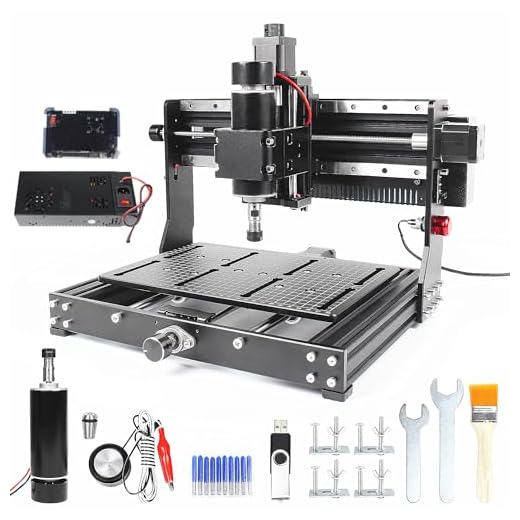
3020 Plus 3-Axis Desktop CNC Router
Best budget desktop starter router
6.5/10
EXPERT SCORE
I view this as a very inexpensive way to get hands-on with CNC routing for small projects. It’s able to carve plastics, wood, and thin metal but you should expect compromises in rigidity and long-term precision.
Affiliate links / Image courtesy of Amazon. As an Amazon Associate I earn from qualifying purchases.
Pros
Very affordable entry price for beginners
Decent working area for a starter machine (300 x 200 x 73 mm)
Includes basics such as limit switches and E-stop
Compact footprint fits on a small bench
Cons
Mechanical couplings held by friction — can worry about slippage
Thin structure and limited rigidity compared to larger machines
Instructions and documentation are often sparse or inconsistent
Overview
I think of the CNCTOPBAOS 3020 Plus as a no-frills, low-cost desktop CNC that gets beginners cutting and learning quickly. With a 300 x 200 x 73 mm work area it’s optimized for small signs, PCB prototyping, and hobby parts rather than heavy milling.
What it offers
Compact working envelope that’s generous for desktop projects.
Emergency stop and limit switches add basic safety and homing convenience.
Lightweight aluminum construction keeps the package affordable and easy to move.
For someone just getting started, I appreciate that it exposes the essentials of motion control, g-code workflow, and CAM-to-machine setup without a major investment. Several owners note that the included couplings and t-slot nut fits sometimes require minor filing or adjustment — that’s normal at this price tier.
Practical limitations
If you plan to cut aluminum regularly or push for tight tolerances, expect to upgrade mechanical components and tooling.
The community and online guides become essential; the written manual can be thin and assembly quirks pop up.
Overall, I recommend this as a learning platform or light hobby machine: great for projects and experimentation, but not a replacement for a more rigid benchtop or industrial mill.
10
Twotrees TTC450 Pro Touchscreen CNC
Best for budgeters who like tinkering
6/10
EXPERT SCORE
I see this as a mixed bag: it promises high precision and a generous working area but reports vary and some buyers encountered accuracy and QC problems. It can be a good project machine if you’re prepared to troubleshoot and possibly upgrade components.
Affiliate links / Image courtesy of Amazon. As an Amazon Associate I earn from qualifying purchases.
Pros
Large working area for the price (460 x 460 x 80 mm)
High advertised positioning resolution and touch-screen control
Fairly sturdy aluminum construction compared to cheaper frames
Cons
Reported accuracy and repeatability issues in some units
Occasional missing parts or QC inconsistencies
May need additional tuning or hardware upgrades
Overview
I’d classify the TwoTrees TTC450 Pro as a budget-friendly machine that targets hobbyists wanting a larger work area and modern controls. Its claimed X/Y/Z resolutions are competitive on paper, but real-world experiences show variance depending on individual units and setup.
What I like and don’t like
The touchscreen and feature set look attractive and are convenient for standalone use.
The larger bed makes it attractive for bigger sign work and sheet projects.
That said, I’ve seen multiple reports from buyers who struggled with initial accuracy tests and component fitment.
If you’re experienced and happy to replace couplers, re-check squareness, and possibly switch to better motion components, the TTC450 can be turned into a capable machine. For those looking for a plug-and-play, precision-first device out of the box, I’d caution: you may need to do some extra work or consider a more polished alternative.
Practical notes
Verify shipped parts immediately and run a simple straight-line accuracy test before committing to important work.
Budget in upgrades or spare parts if you want consistent, production-level accuracy.
Final Thoughts
If I had to pick just two, I'd go with the Carvera Air Desktop CNC with 4th Axis and the PM-25MV Industrial-Grade Milling Machine.
Carvera Air Desktop CNC with 4th Axis — Best pick for precision prototyping and boutique production. Why I like it: pro features in a desktop footprint (closed-loop control, quick tool changers, polished CAM software) and a real 4th axis for complex parts. Ideal when you want high accuracy, repeatability, and advanced tooling without a full-size shop.
PM-25MV Industrial-Grade Milling Machine — Best pick for serious metalwork and a shop centerpiece. Why I like it: rigid construction, brushless motor, and integrated DRO give dependable performance for heavy cuts and long runs. Choose this if you need to mill steel, run repeatable production jobs, and want a machine that tolerates a hard day's work.
If you need a clear action: pick the Carvera Air for desktop pro work and the PM-25MV for full shop capability. Those two cover most use cases I run into—precision prototypes on the bench, and heavy-duty metalwork on the floor.
As an Amazon associate I earn from qualifying purchases. Product prices and availability are accurate as of the date/time indicated and are subject to change. Any price and availability information displayed on Amazon at the time of purchase will apply to the purchase of this product.
Eky Barradas lives in Sioux Falls, South Dakota. He is an experienced industrial tools expert and DIY enthusiast with over 15 years in the industry. As a contributor to EngiMarket, he provides detailed and honest reviews to assist both professionals and hobbyists in selecting the best equipment. His goal is to foster a community of informed tool users through his insightful content on EngiMarket.
LOL re: quick tool changers — they make you feel like a CNC wizard. 🧙♂️
Seriously though, anyone used the Carvera’s PCB Fabrication Pack extensively? I’m curious how it compares to doing PCBs on a dedicated PCB mill. Is the Carvera accurate enough for fine traces, or is it more for prototyping larger pads and drill holes?
I milled several 0805 breakout boards on a Carvera with no issue. Key is CAM isolation settings and good bits. Also use a sacrificial FR4 plate for consistency.
Good question — Carvera’s PCB pack is excellent for prototyping: it’s accurate enough for traces down to about 6-8 mil depending on your bits and CAM setup. For very fine-pitch SMD traces you might still prefer a dedicated PCB mill or chemical etch, but for most prototyping needs Carvera is very capable. Use single-flute carbide engraving bits, rigid fixture, and keep spindle speeds high with shallow passes.
Great roundup — thanks for putting this together! I own a Carvera Air and can vouch for the closed-loop control; it really made a difference when I moved from wood to denser acrylics.
A few notes from my side:
– The PCB pack is handy but expect a learning curve with CAM settings.
– The quick tool changer is a game changer for small production runs.
Would love to see a follow-up on maintenance tips for the Carvera.
Thanks for sharing, Samantha — glad Carvera’s working well for you. I’ll add a maintenance mini-guide to the follow-up article (brushes, belts, lubrication intervals, and spindle checks).
I bought a CNCTOPBAOS 3020 Plus as a budget toy and honestly, for the price it’s OK, but don’t expect miracle precision. The Z-axis drooped after a few months and I had to re-calibrate a LOT. If you’re on a strict budget it’s fine, otherwise save a bit more. 😬
PS: docs were barely helpful — had to rely on forum posts and some YouTube fixes. ugh.
Thanks for the candid feedback, Robert. Budget desktop units often require more user servicing. For readers considering that model: check lead screw couplers, limit switch alignment, and consider adding periodic backlash compensation in your CAM or control software.
I had a similar experience but fixed most issues by replacing the cheap couplers with flexible ones and re-meshing belts. Saved the machine for small projects.
I’m torn between the Genmitsu 3018-PRO and the FoxAlien Master Pro for a first machine. I want something that won’t require me to upgrade in 6 months but also fits in a small garage. Any recommendations?
Both are solid entry points. Genmitsu is the cheaper, massive-community option — great for learning. FoxAlien is a bit sturdier and has a clearer upgrade path (larger spindles, stiffer mounts). If you prioritize immediate ease-of-use and community help, go Genmitsu; if you want room to grow without buying a new frame, FoxAlien.
I had a Genmitsu first and loved it for carving small panels and PCBs. Upgraded to a FoxAlien later for larger MDF jobs. If budget allows, start with FoxAlien to reduce short-term upgrades.
Quick question: for aluminum work, would you pick the AnoleX 4030-Evo Ultra 2 over the Carvera Air if budget is tight? I like the Carvera features but the AnoleX claims dual steel guides and ball screws which sounds promising for rigidity.
AnoleX is an excellent mid-range choice for aluminum — the dual rails and ball screws give it an edge for tougher cuts. Carvera is more polished and has better CAM and tool-change ergonomics, so if you need repeatability and workflow speed (and can afford it) Carvera wins. For budget-first aluminum work, go AnoleX.
Really enjoyed the beginner picks like Genmitsu and Monoprice. I used the Monoprice to teach my teen basic CAD-to-CAM workflows and it was perfect — safe, small, and gave quick wins.
That’s great to hear, Jessica. Monoprice is ideal for learning the whole pipeline without burning money on tooling. Any tips you give your teen when starting out?
Anyone have measurements for noise and footprint for the PM-25MV? I’m considering it for a small garage shop but noise might be an issue for the house next door.
PM-25MV is a shop-class mill — heavier and louder than benchtop routers. Expect elevated noise during heavy cuts; a sound meter on full load will be around 80-90 dB near the spindle. Footprint with the stand is roughly 3′ x 2′ plus clearance for tool changes. If noise is a concern, consider an enclosure and isolation pads.
Heads up to anyone thinking about the Twotrees TTC450 Pro: I bought one because of the big working area, and while it’s fun to tinker with, my first unit had alignment issues out of the box.
I ended up shimming the Y rails and tightening mounts. After that it was fine, but honestly it felt like “buy if you like to fix things.” 😅
That’s consistent with other reports — some units need setup love. If you keep yours, check the lead screw alignment and tighten the eccentric nuts (if present). Also consider adding belt tensioners or tramming the bed if you haven’t already.









LOL re: quick tool changers — they make you feel like a CNC wizard. 🧙♂️
Seriously though, anyone used the Carvera’s PCB Fabrication Pack extensively? I’m curious how it compares to doing PCBs on a dedicated PCB mill. Is the Carvera accurate enough for fine traces, or is it more for prototyping larger pads and drill holes?
Would appreciate real-world PCB tips.
I milled several 0805 breakout boards on a Carvera with no issue. Key is CAM isolation settings and good bits. Also use a sacrificial FR4 plate for consistency.
Awesome, thanks — that’s exactly the kind of answer I needed. Time to start ordering bits!
Good question — Carvera’s PCB pack is excellent for prototyping: it’s accurate enough for traces down to about 6-8 mil depending on your bits and CAM setup. For very fine-pitch SMD traces you might still prefer a dedicated PCB mill or chemical etch, but for most prototyping needs Carvera is very capable. Use single-flute carbide engraving bits, rigid fixture, and keep spindle speeds high with shallow passes.
Great roundup — thanks for putting this together! I own a Carvera Air and can vouch for the closed-loop control; it really made a difference when I moved from wood to denser acrylics.
A few notes from my side:
– The PCB pack is handy but expect a learning curve with CAM settings.
– The quick tool changer is a game changer for small production runs.
Would love to see a follow-up on maintenance tips for the Carvera.
Thanks for sharing, Samantha — glad Carvera’s working well for you. I’ll add a maintenance mini-guide to the follow-up article (brushes, belts, lubrication intervals, and spindle checks).
Usually around 18k to 20k RPM for clean acrylic cuts, Ethan. Lower speeds caused chatter on thicker pieces.
Totally agree on the tool changer. Saved me so much time when batching aluminum parts. What’s your typical spindle speed for acrylic?
I bought a CNCTOPBAOS 3020 Plus as a budget toy and honestly, for the price it’s OK, but don’t expect miracle precision. The Z-axis drooped after a few months and I had to re-calibrate a LOT. If you’re on a strict budget it’s fine, otherwise save a bit more. 😬
PS: docs were barely helpful — had to rely on forum posts and some YouTube fixes. ugh.
Also, make sure to secure the machine to a stable surface and reduce spindle runout — both can dramatically affect perceived accuracy.
Thanks for the candid feedback, Robert. Budget desktop units often require more user servicing. For readers considering that model: check lead screw couplers, limit switch alignment, and consider adding periodic backlash compensation in your CAM or control software.
Agree — the CNCTOP is a “learn-to-fix” machine. If you want out-of-the-box accuracy, bump up to the Monoprice or Genmitsu if possible.
I had a similar experience but fixed most issues by replacing the cheap couplers with flexible ones and re-meshing belts. Saved the machine for small projects.
Thanks for the tips — I’ll try the flexible couplers next. Fingers crossed 🤞
I’m torn between the Genmitsu 3018-PRO and the FoxAlien Master Pro for a first machine. I want something that won’t require me to upgrade in 6 months but also fits in a small garage. Any recommendations?
Both are solid entry points. Genmitsu is the cheaper, massive-community option — great for learning. FoxAlien is a bit sturdier and has a clearer upgrade path (larger spindles, stiffer mounts). If you prioritize immediate ease-of-use and community help, go Genmitsu; if you want room to grow without buying a new frame, FoxAlien.
I had a Genmitsu first and loved it for carving small panels and PCBs. Upgraded to a FoxAlien later for larger MDF jobs. If budget allows, start with FoxAlien to reduce short-term upgrades.
Don’t forget to budget for dust collection and better bits — those are the upgrades that matter more than a spindle swap sometimes.
Thanks everyone — super helpful. I’ll probably start Genmitsu and see how far I get. Jose, good call on dust collection.
Quick question: for aluminum work, would you pick the AnoleX 4030-Evo Ultra 2 over the Carvera Air if budget is tight? I like the Carvera features but the AnoleX claims dual steel guides and ball screws which sounds promising for rigidity.
I do small aluminum prototypes and went AnoleX — haven’t regretted it. It’s less “slick” than Carvera but solid for parts.
Thanks — that helps. Looks like I’ll prioritize AnoleX and save for a Carvera later if I scale up.
AnoleX is an excellent mid-range choice for aluminum — the dual rails and ball screws give it an edge for tougher cuts. Carvera is more polished and has better CAM and tool-change ergonomics, so if you need repeatability and workflow speed (and can afford it) Carvera wins. For budget-first aluminum work, go AnoleX.
Really enjoyed the beginner picks like Genmitsu and Monoprice. I used the Monoprice to teach my teen basic CAD-to-CAM workflows and it was perfect — safe, small, and gave quick wins.
If they’re new, start with soft wood and simple shapes — practice feeds and speeds before moving to plastics. Also, always clamp work well.
That’s great to hear, Jessica. Monoprice is ideal for learning the whole pipeline without burning money on tooling. Any tips you give your teen when starting out?
Anyone have measurements for noise and footprint for the PM-25MV? I’m considering it for a small garage shop but noise might be an issue for the house next door.
If possible, visit a local shop that has one and listen in person. Numbers help but perception matters.
I run mine on isolation pads and it helped. Also use lubricant and light passes to reduce motor load and noise.
PM-25MV is a shop-class mill — heavier and louder than benchtop routers. Expect elevated noise during heavy cuts; a sound meter on full load will be around 80-90 dB near the spindle. Footprint with the stand is roughly 3′ x 2′ plus clearance for tool changes. If noise is a concern, consider an enclosure and isolation pads.
Heads up to anyone thinking about the Twotrees TTC450 Pro: I bought one because of the big working area, and while it’s fun to tinker with, my first unit had alignment issues out of the box.
I ended up shimming the Y rails and tightening mounts. After that it was fine, but honestly it felt like “buy if you like to fix things.” 😅
Same here. I replaced a couple of bearings and added ball screws — totally transformed it. If you’re handy it’s a cheap way to get a big workspace.
That’s consistent with other reports — some units need setup love. If you keep yours, check the lead screw alignment and tighten the eccentric nuts (if present). Also consider adding belt tensioners or tramming the bed if you haven’t already.