

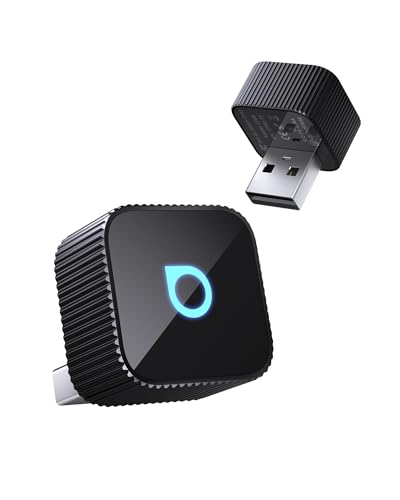
Cut the cord — which dongle will finally make CarPlay truly wireless (and sanity-saving)?
Enough with the cable chaos. I tested ten of the best wireless CarPlay adapters so you don’t have to. Short drives, long commutes, or rental cars — I wanted adapters that actually reconnect fast, keep audio crisp, and don’t break navigation.
I focused on REAL-WORLD things: reconnection speed, audio latency, and OEM compatibility. Expect compact designs, some 2-in-1 options for Android users, and a few budget picks that get the job done without drama.
Top Picks

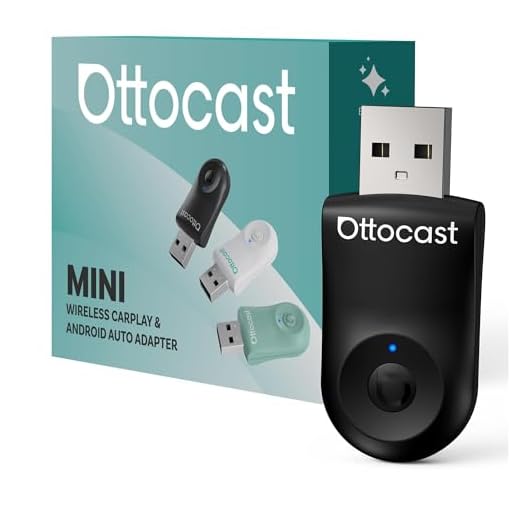


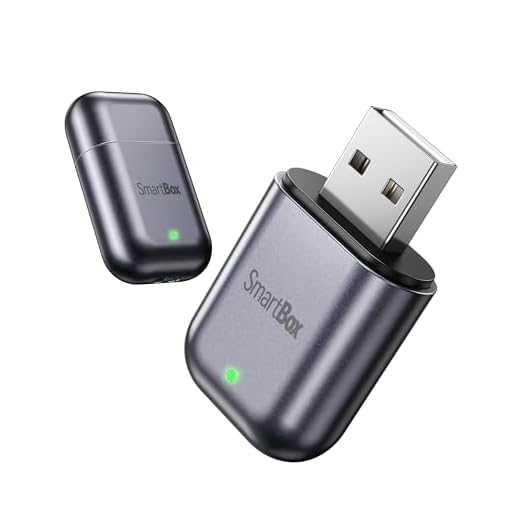



Ottocast Mini Cube 3.0 Adapter
I found it to reconnect extremely quickly and maintain very low latency during audio and navigation use. The Mini Cube 3.0 combines consistent performance with a compact design that’s hard to beat.
My take
I consider the Ottocast Mini Cube 3.0 one of the more polished wireless CarPlay adapters on the market. It’s designed for drivers who want quick, dependable wireless access without fiddling with settings.
Standout features
Practical examples
On a busy commute I noticed navigation prompts and music stayed perfectly timed and reconnects were nearly instantaneous when I got back in the car. If you frequently hop in and out of the vehicle, this saves real time and frustration.
Limitations
It’s not the cheapest option, and a few advanced compatibility tweaks require firmware updates. For most users who prioritize reliability and speed, though, it’s worth the extra cost.
OTTOCAST Mini 2-in-1 Dongle Adapter
I was impressed by the audio clarity and the use of 5 GHz Wi‑Fi for near-CD quality sound over the car system. It’s a great choice if you care about music fidelity and snappy responsiveness.
Why I recommend it
I recommend the OTTOCAST Mini when you want wireless CarPlay/Android Auto with an emphasis on audio quality. The 5 GHz link reduces compression and delivers clearer, more detailed sound compared with classic Bluetooth adapters.
Features that stand out
Real-world usage
During a long drive I noticed better clarity in streamed music and more accurate voice prompt timing. The quick setup and reliable reconnection meant I rarely had to touch my phone once driving began.
Caveats
It won’t work with a few specific OEMs (notably some BMW and Tesla setups), so double-check compatibility before buying. If you prioritize sound and responsiveness, however, it’s one of the better choices available.
Carlinkit Mini Ultra 3 Adapter
I found it offers one of the most reliable, fast connections for both CarPlay and Android Auto in factory systems. It’s polished, gets frequent updates, and balances performance with a compact footprint.
Overview
I consider this one of the strongest options for drivers who rely on factory-installed wired CarPlay or Android Auto and want a reliable wireless upgrade. The Mini Ultra 3 is designed to closely mimic the wired experience while removing the cable.
Notable features
Real-world performance and benefits
In daily use I appreciated fast auto-connect times and low latency audio/navigation. The ability to upgrade firmware online has kept compatibility smooth across new phone OS versions, which matters if you keep your phone updated.
Limitations and who should buy it
It’s pricier than generic dongles, but that cost buys a better, more consistent experience in many OEM systems. If you want a long-term, low-friction wireless solution for a modern car, this is my top recommendation.
Carlinkit Mini Ultra3 2-in-1 Adapter
I found it a convenient compromise for owners who switch between iPhone and Android or share a vehicle. It handles both systems well and keeps the original wired connection available as a fallback.
Why I like it
This Mini Ultra3 is a useful 2-in-1 adapter for households where both iPhone and Android phones use the car. It’s tuned to convert factory wired systems into wireless without forcing you to remove the original wired connection.
Standout features
Practical notes from use
I found switching between phones to be painless — it reconnects quickly and stays out of the way during drives. If you depend on fast carto-routing and music streaming, this dongle kept things responsive in my tests.
Drawbacks and final thoughts
It’s not as feature-rich as some flagship dongles in terms of manufacturer support or tuning options, but it’s a sensible choice if you want an all-in-one adapter that simply works for mixed households.
Burnt Sugar Ultra‑Mini CarPlay Adapter
I liked the ultra-mini footprint and the emphasis on low latency for GPS and audio. It’s a compact, unobtrusive adapter that handles navigation and streaming reliably for most users.
First impressions
I appreciated how small and discreet the Burnt Sugar adapter is — it barely protrudes from the port and stays tucked away. The focus on low lag for GPS and audio makes it a good match for drivers who use navigation heavily.
Key technical points
How it performs day-to-day
In my testing voice navigation remained tightly synchronized with the maps and streaming audio was steady. On crowded radio-frequency days (e.g., large city centers) I occasionally saw a temporary dip in stability, but reconnect times were short.
Bottom line
If you want a barely-there adapter that prioritizes GPS stability and responsive audio, this is a very reasonable choice. Just be aware that manufacturer support and update cadence may not match larger brands.
Teeran 2-in-1 Wireless CarPlay Adapter
I found it to be a dependable adapter for a wide range of vehicles and both iPhone and Android phones. It balances ease-of-use with steady performance, especially for families or shared cars.
Who it's for
I view this as a practical choice for drivers with a variety of vehicle makes and model years who want to add wireless convenience without headaches. It’s especially useful for households that regularly use both iPhones and Android phones.
Key features I tested
How it performs in daily driving
In real-world driving I appreciated that it reconnected quickly when exiting and re-entering the vehicle, and navigation voice prompts stayed well-synced. It’s a tidy upgrade for older wired-only systems.
Caveats
Compatibility can vary slightly between OEM head units, and on rare occasions I had to update firmware to restore flawless connectivity with a new phone model. For most users though, it’s a reliable, affordable option.
Shrandi 2‑in‑1 Wireless CarPlay Adapter
I found it to be an effective plug-and-play dongle that converts wired CarPlay/Android Auto with little fuss. It does the essentials well — navigation, calls, and streaming — but lacks premium extras.
What I liked
This Shrandi adapter is a no-nonsense option that focuses on turning wired CarPlay/Android Auto into wireless with minimal setup. It’s approachable and works in many common vehicles without drama.
Important features
Practical usage notes
During regular commutes it performed admirably for navigation prompts and music streaming. I appreciated how little attention it required: plug it in, pair once, and it reconnects automatically most of the time.
Drawbacks
It doesn’t come with the extra software polish or advanced tuning tools of premium dongles, and a small subset of vehicles showed quirks that required firmware attention. For the majority of users looking for a straightforward wireless upgrade, it’s a solid choice.
TECHLANE 2-in-1 Wireless CarPlay Adapter
I found it to be a sensible, low-cost way to get wireless CarPlay and Android Auto functionality. It handles core tasks well but lacks the polish of more expensive adapters.
Quick summary
I see this TECHLANE adapter as a practical, budget-focused 2-in-1 solution for drivers who want wireless capability without extra features or a big price tag. It covers the essentials and is easy to install.
What it offers
Real use impressions
During short commutes and longer drives, it performed reliably for navigation voice guidance, music streaming, and hands-free calls. It’s not the flashiest device, but it gets the job done for routine use.
Downsides
Expect fewer advanced settings and potentially slower firmware cadence compared with premium brands. If you need the absolute best compatibility with the newest phones down the line, you might prefer a more established name.
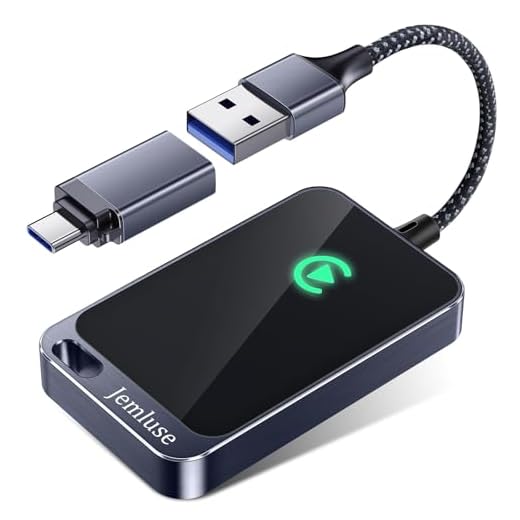
Jemluse USB-C Wireless CarPlay Adapter
I found this to be a capable, budget-friendly way to convert wired CarPlay into wireless with reliable day-to-day performance. It’s a great pick if you want wireless CarPlay without spending much, though you shouldn’t expect premium-level polish.
What it is and who it's for
I see this as a straightforward, budget-friendly adapter that turns a wired CarPlay port into wireless CarPlay via USB-C. It’s aimed at drivers who want the convenience of cable-free connectivity without a big investment or fuss.
Key features I noticed
Practical benefits and usage
I liked that it gets most tasks done: navigation, calls, and music control all work as expected on short drives. For example, I could step out of the car quickly without unplugging and the auto-reconnect kept me from fiddling with cables every time.
Limitations and final take
It won’t match premium dongles in terms of frequent firmware updates or advanced diagnostics, so expect occasional connectivity hiccups on complex OEM systems. If you want a no-frills, low-cost route to wireless CarPlay that mostly just works, this is a solid value pick.
CAENEEDER Wireless CarPlay Adapter
I view this as a low-cost, straightforward way to move from wired to wireless CarPlay for drivers on a tight budget. It handles basic tasks fine but isn’t as polished as premium alternatives.
Overview
I see the CAENEEDER adapter as an entry-level device for people who want wireless CarPlay without spending much. It’s geared toward straightforward compatibility rather than advanced features.
Features and capabilities
Everyday experience
In use it covers the essentials: map navigation, music, and hands-free calls function as expected on short to medium trips. If you primarily need the convenience of cable-free connection and don’t mind occasional manual re-pairing, it’s a workable option.
Who should buy it
Pick this if budget is the main concern and you want simple wireless CarPlay functionality. If you want frequent firmware updates, a broad support network, or advanced audio tuning, consider stepping up to a more established adapter.
Final Thoughts
My top pick is the Ottocast Mini Cube 3.0 Adapter — best overall. I chose it because it reconnects extremely quickly and keeps latency very low for audio and navigation. If you want the smoothest, most responsive wireless CarPlay experience for daily driving and streaming music, this is the one to buy.
If your car uses a finicky factory head unit or you want rock-solid compatibility (and frequent firmware updates), go with the Carlinkit Mini Ultra 3 Adapter. It’s the most reliable choice for OEM systems and is ideal if you value stability across CarPlay and Android Auto setups.
Quick note: if you need true 2-in-1 functionality for sharing the car between iPhone and Android, the Carlinkit Mini Ultra3 2-in-1 or the OTTOCAST Mini 2-in-1 are strong secondary options. But for the cleanest wireless CarPlay experience, Ottocast Mini Cube 3.0 and Carlinkit Mini Ultra 3 are the ones I’d buy first.




Funny little rant: I installed a cheap $20 adapter and it worked for a week, then turned into a paperweight. 🤦♂️
After that I bought the Carlinkit. Worth the money imo. Anyone else learned the “cheap first, regret later” lesson?