

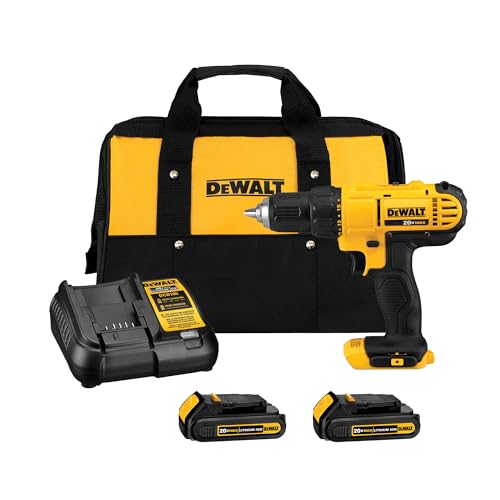
In this step-by-step guide, we aim to help you navigate the choice between corded and cordless power drills with clarity and confidence. Understanding the specific uses of each type will empower you to make the best decision for your projects.
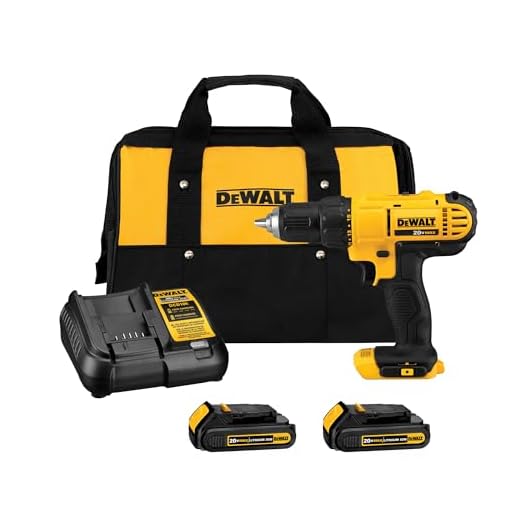


Understand the Difference
Understand the Difference between corded and cordless power drills:
- Corded drills provide consistent power but require an outlet for operation, making them suitable for heavy-duty tasks.
- Cordless drills offer more portability as they run on rechargeable batteries, making them ideal for projects in remote locations or where outlets are scarce.
- Consider the task at hand and your need for mobility when selecting between corded and cordless power drills to ensure optimal usage for your specific projects.
Identify Your Needs
Think about the main tasks you’ll use the power drill for – whether it’s for DIY home projects, woodworking, or simple repairs. Assess if you need a drill for basic tasks like hanging pictures or if you require a more powerful drill for heavy-duty projects like assembling furniture or drilling into tough materials. Evaluate the type of materials you’ll be working with, such as wood, metal, or concrete, as this will influence the drill type you should choose. Matching your primary tasks to the appropriate power drill will ensure you get the most suitable tool for your needs.
Consider Power and Portability
- Evaluate the power output by determining the type of tasks you will perform with the device.
- Consider the portability requirements based on how often you will need to move or travel with the device.
- Match the power output and portability features to your intended applications to ensure optimal performance and convenience.
Battery vs. Corded Power Source
Compare the convenience of cordless drills with the consistent power of corded drills:
- Assess your regular drilling needs to determine if portability or continuous power is more important to you.
- Experiment with both cordless and corded drills to understand how each one fits your workload and environment.
- Consider investing in a hybrid drill that offers the flexibility of cordless use with an option for corded power when necessary.
Additional Features
Review the adjustable clutch settings by turning the designated dial on the side of the device. Experiment with different levels to find the setting that best suits your needs, such as for drilling into different materials. Test the LED lights by pressing the light button to illuminate your workspace, allowing for increased visibility in darker areas. Explore the ergonomic design by gripping the handle to feel the comfortable and balanced weight distribution, making the tool easier to handle for extended periods.
Budget and Brand Comparison
Research different brands and price points to find a power drill that fits your budget and quality expectations. Look at customer reviews, visit multiple stores, and check online marketplaces to compare features and prices. Make a list of important factors like power, battery life, and warranty to help you narrow down your options. Once you have gathered enough information, make an informed decision that aligns with both your budget and the quality you desire.
Read Reviews and Recommendations
Check customer reviews on trusted websites like Amazon or specific product forums to understand real-life experiences with the product. Seek recommendations from professionals in the field by reaching out to industry experts or consulting with knowledgeable sales associates. Gather insights on product performance by comparing multiple reviews and recommendations to make an informed purchasing decision.
Make an Informed Decision
Consider your needs, features required, and budget constraints before selecting a power drill. Evaluate if a corded or cordless model suits your applications better. Remember to factor in the convenience of cordless drills against the consistent power supply of corded drills. Compare the options to make an informed decision that aligns with your specific requirements and budget.
Making an Informed Decision
In conclusion, when comparing corded vs. cordless power drills for different uses, consider your project requirements, mobility needs, power options, and budget. Corded drills offer consistent power and unlimited runtime, ideal for heavy-duty tasks, while cordless drills provide flexibility and portability for lighter projects. Ultimately, choose the power drill that best suits your specific needs and budget to achieve optimal results in your DIY or professional endeavors.
Selecting the Right Tool
Operating Instructions for Power Drills
- Always wear safety goggles to protect your eyes from debris
- Use the appropriate drill bit for the material you are drilling into (wood, metal, etc.)
- Hold the drill with a firm grip and position yourself in a stable stance to maintain control
- Start drilling at a slow speed and gradually increase as needed for the task
- Remember to unplug the drill when changing drill bits or making adjustments
Common Questions About Power Drills
To properly maintain and care for a power drill and ensure its longevity, there are a few key steps you can take:
- Clean your power drill regularly: After each use, make sure to wipe down the outer surface of the drill with a clean, dry cloth to remove any dust or debris. This helps prevent any buildup that can potentially damage the tool.
- Inspect the power drill before and after each use: Check for any loose screws, damaged cords, or other visible signs of wear. Ensure that all parts are in good working condition before using the drill.
- Lubricate moving parts: Periodically lubricate moving parts, such as the chuck and gears, with a manufacturer-recommended lubricant. This will help reduce friction and wear on the components.
- Store your power drill properly: When not in use, store your power drill in a dry and cool place to prevent rust or corrosion. Use the original case or a designated storage box to protect the drill from dust and moisture.
- Follow proper usage guidelines: Use the power drill according to the manufacturer’s instructions. Avoid overloading the drill or using it for tasks it is not designed for, as this can put undue stress on the tool and reduce its lifespan.
By following these maintenance tips, you can help prolong the life of your power drill and ensure that it continues to perform at its best for years to come.
When using a power drill, it is essential to follow these safety precautions:
- Always wear safety goggles to protect your eyes from flying debris.
- Use clamps or a vice to secure the material you are drilling to prevent accidents.
- Keep your hands away from the drill bit and ensure a firm grip on the drill.
- Disconnect the power source before changing drill bits or making any adjustments.
- Avoid wearing loose clothing or jewelry that could get caught in the drill.
- Work in a well-lit area to see what you are doing clearly and avoid accidents.
- Keep the drill away from water or wet surfaces to prevent electric shocks.
Following these safety precautions will help you use a power drill efficiently while minimizing the risk of accidents.
Yes, there are several safety guidelines to keep in mind when working with power drills for an extended period of time. Some key points to consider include:
- Wear appropriate personal protective equipment such as safety goggles, ear protection, and gloves to protect yourself from flying debris and noise.
- Ensure the power drill is switched off and unplugged when not in use to prevent accidental start-ups.
- Take regular breaks to avoid muscle strain and fatigue, especially when using the power drill for an extended period of time.
- Keep the work area well-lit and free of clutter to reduce the risk of accidents.
- Follow the manufacturer’s instructions and maintenance guidelines to ensure the power drill is in good working condition.
By following these safety guidelines, you can help minimize the risk of accidents and injuries when working with power drills for an extended period of time.
Yes, power drills can definitely be used for driving screws in addition to drilling holes. Most power drills come with a setting that allows you to switch between drilling and driving modes. When you set the drill to driving mode, it allows you to use it as a powered screwdriver. This makes it versatile as you can use the same tool for drilling holes and driving screws, making it a convenient option for various projects.
An impact driver is a tool specifically designed for driving screws and fasteners quickly and with more torque than a typical power drill. It delivers rotational torque combined with concussive blows to help drive screws into tough materials. On the other hand, a power drill is a versatile tool used for drilling holes and driving screws, but it typically has less torque than an impact driver. So, in summary, the main difference lies in the application and the torque output of the tools.
To change the drill bit on a power drill, you typically follow these steps:
- Unplug the power drill or remove its battery for safety.
- Locate the chuck at the front of the drill where the drill bit is inserted.
- Depending on your drill model, you may need to loosen the chuck either by hand or using a chuck key.
- Remove the current drill bit by pulling it out of the chuck.
- Insert the new drill bit into the chuck, making sure it is secured properly.
- Tighten the chuck to hold the new drill bit in place, either by hand or using the chuck key.
- Plug the power drill back in or reinsert the battery and you’re ready to use the new drill bit.
Remember to always refer to your power drill’s manual for specific instructions as the process may vary slightly depending on the model.




I never realized how important battery life is when choosing between corded and cordless drills. Great advice!
I wish there was more information on the durability of corded vs. cordless drills in the long run.
A comparison chart summarizing the key points would make it easier to decide between corded and cordless drills.
It would be helpful to include a price comparison between corded and cordless drills in different brands.
Overall, this article was well-researched and balanced in its approach to comparing corded and cordless power drills.
I prefer cordless drills for their portability, but I can see the benefits of corded drills for heavy-duty tasks.
This article provides a comprehensive comparison between corded and cordless power drills. Very informative!
I have both corded and cordless drills, and each serves its own purpose. It all depends on the task at hand.
The detailed explanations on the pros and cons of corded vs. cordless drills are invaluable for someone like me who’s new to DIY projects.
Safety precautions are crucial when using power tools. I appreciate the reminder in this article.
The section on power and torque differences between corded and cordless drills was very helpful.
I like that the article highlighted the noise levels of corded and cordless drills. Noise can be a deciding factor for some users.
I appreciate that the article addressed the environmental impact of corded and cordless drills. It’s an important consideration.